
ISPAD 2026 APP

Stay up to date

The App will be available from Thursday, November 29

ISPAD 2026 at your Fingertips

The ISPAD 2026 Conference App will be available soon. It allows you to have access to all conference data from your mobile device:

  • Browse the conference program
  • Read the speakers’ biographies
  • Interact with your peers
  • Send a question to an author or a speaker (only for face-to-face attendees)
  • Participate in the voting and polling in sessions, prepared by the speakers
  • Prepare your own agenda and insert notes that you can export after the conference
  • Read the abstracts
  • View the ePosters
  • Follow the audio feed of the presented poster sessions in English or Portuguese and read the transcription in both languages on your screen, read the key take aways of each presentation once the poster session is finished
  • Access the whole Online Resource Platform of the last three conferences
  • Find a booth on the floor plan
  • Learn more about our exhibitors and sponsors
  • Get the latest ISPAD News throughout the year
  • and much more!

Download the ISPAD Society App on your mobile device in the respective app stores by using the keyword “ISPAD Society”. Within the App you can find the ISPAD 2026 Conference App button.

Please log in using your personal email address and password that you used for your registration. You can reset your password within the ISPAD 2026 Conference App or your ISPAD Profile. If you are experiencing any issues with the login, please contact ispad-registration@kit-group.org or go to the registration counter onsite.

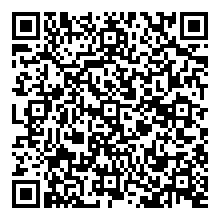
To access the App, choose one of the two options below:

Scan the QR code:

Visit your App Store:

for Android, please click here

for iOS, please click here

Important Features

Create your own personalized schedule to use while at the conference! Once you are logged in, you can save sessions and find them separately under My Conference.

Please check out the practical information and the opening hours.

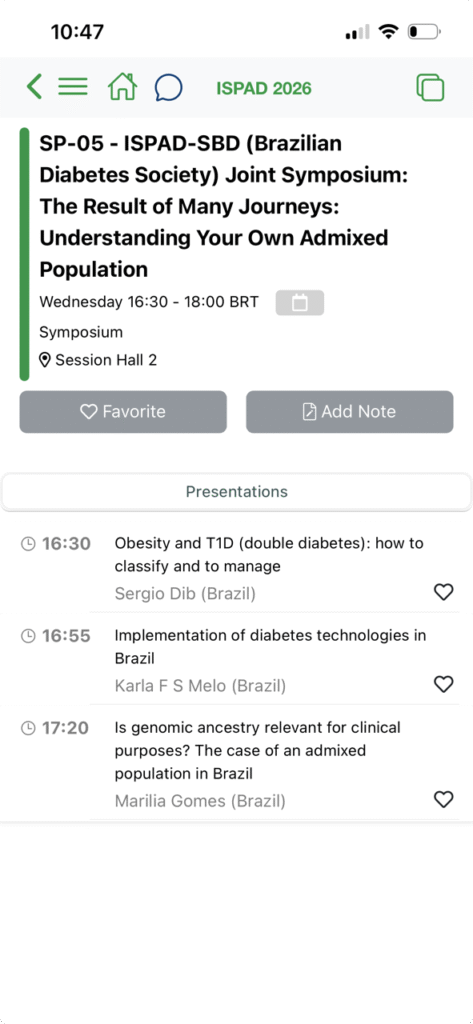
Session Details in the App

Select a session for more information: time, location, session type and description, speakers’ profile and picture, abstract, etc.

Click on ‘Favorite’ to save a session in your agenda under My Conference.

Click on ‘Add Note’ to save your notes under My Conference.

For on-site attendees only:

If you wish to ask the speaker questions on-site while attending a live session, you can do so via the ‘My question’ field. Your question will be forwarded by the session chair if the time permits.

You may also be asked to participate in a live Poll / Voting. This feature will be made accessible if it is requested by the speaker/chair.